
STM32CubeIDE
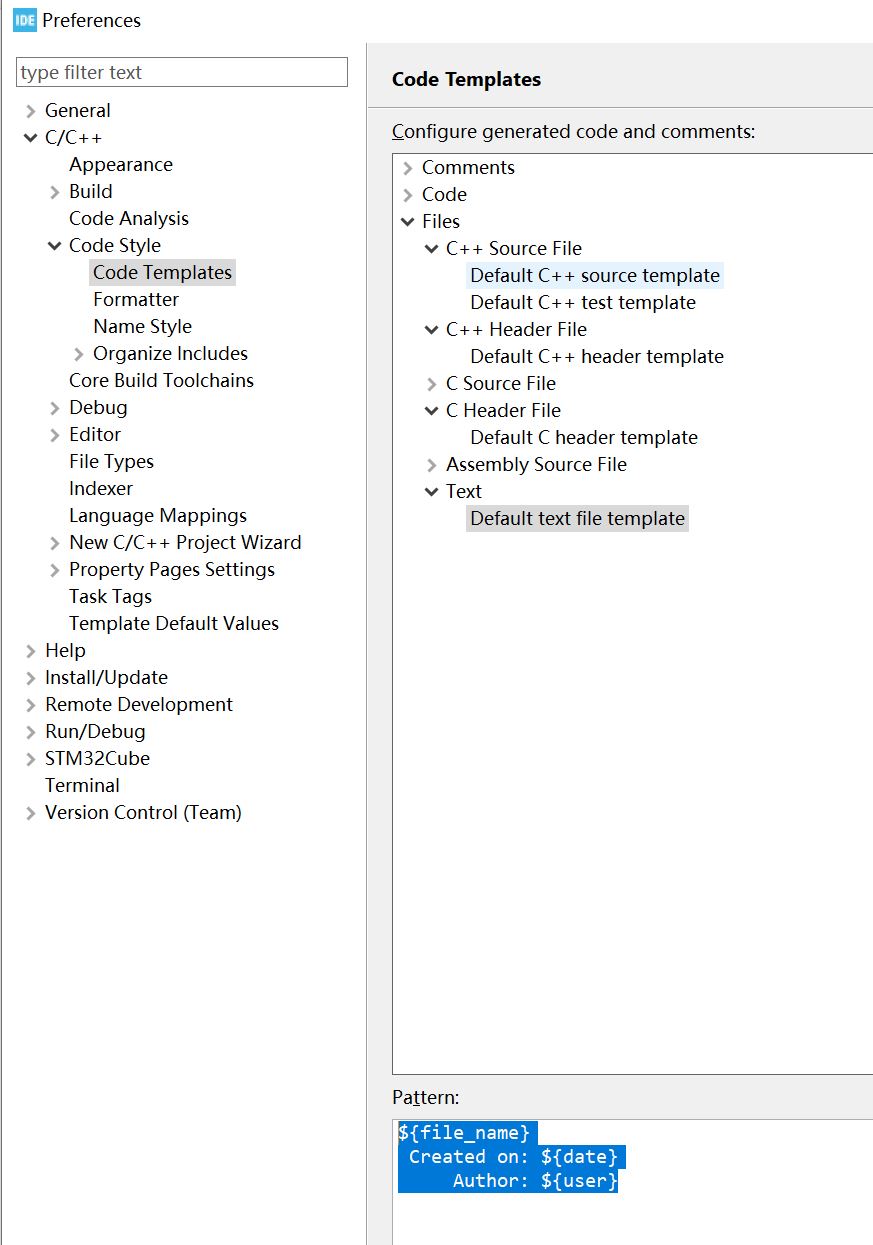
How to Change the File Header
- Open Preferences: Go to Window > Preferences (or STM32CubeIDE > Settings on macOS)
- Navigate to Templates: Go to C/C++ > Code Style > Code Templates
Custom Coding Style
- Install the Plugin: Go to Help > Eclipse Marketplace... and search for CppStyle. Install it and restart.
- Configure the Path: Go to Window > Preferences > C/C++ > CppStyle. Point the Clang-format path to your clang-format.exe (if you don't have it, you can download the LLVM toolchain from llvm.org).
- Enable it for the Project: Go to Window > Preferences > C/C++ > Code Style > Formatter. Change the "Select a profile" dropdown to CppStyle.
- Usage: Now, when you press Ctrl + Shift + F, it will use your .clang-format file.
Windows - Preferences - C/C++ - CppStyle, custom Clang-format path.
Windows - Preferences - C/C++ - Formatter, click 'New...'
- create a new profile based on BSD/Allman
- check Tab policy - Spaces only
- set both
Indentation sizeandTab sizeto 2
Core logic:
c
ssd1306_Init(&hi2c1);

// ...

while (1) {
  // ...

  if (update_flag) {
    // Clear the internal RAM buffer.
    ssd1306_Clear();

    // Draw the new value to the buffer.
    char buff[16];
    sprintf(buff, "%lu", counter);
    ssd1306_DrawString(60, 20, buff);

    // Push the entire buffer to the physical display via I2C.
    ssd1306_UpdateScreen(&hi2c1);

    update_flag = 0;
  }
}