
macOS 操作系统
macOS 操作系统是美国 NeXT 公司(后被美国苹果公司收购)开发的个人计算机操作系统,首个版本发布于 1985 年。
Setup macOS for Software development environment
install package manager: HomeBrew
install essential packages
brew install python ctags vimfor IDE or C/C++:
- Xcode
brew install cmake visual-studio-code
optional packages:
- OneDrive
- Tailscale
- KeePassXC
安装任意软件/重装系统报错/ First Aid 修复卷报错 -69565
类似错误:
txt
Macintosh HD First Aid -69565
reinstall OS, 52min, an error occurred loading the update.
可能内存或硬盘硬件故障,应送检送修。
macOS Big Sur 升级重启后卡主
根因:磁盘空闲容量不足。 解决:清理冗余文件后重装。
另见
- https://www.zhihu.com/question/429809839
- https://mrmacintosh.com/big-sur-upgrade-not-enough-hd-space-serious-issue-possible-data-loss/
新机设置
通过 App Store 安装
- 微软 OneDrive
通过 HomeBrew 安装
brew install --cask visual-studio-code
手动安装
- on-my-zsh
- Github Desktop
通过 App Store 安装
- XCode
- Command Line Tools
brew install cocoapods
自定义软件设置
- Terminal
- Profiles, Use 'Pro' as default
- Default profile - Keyboard - 勾选 'use Option as Meta key'
- Default profile - Advanced - Bell - 取消勾选 Audible bell
- Profiles, Use 'Pro' as default
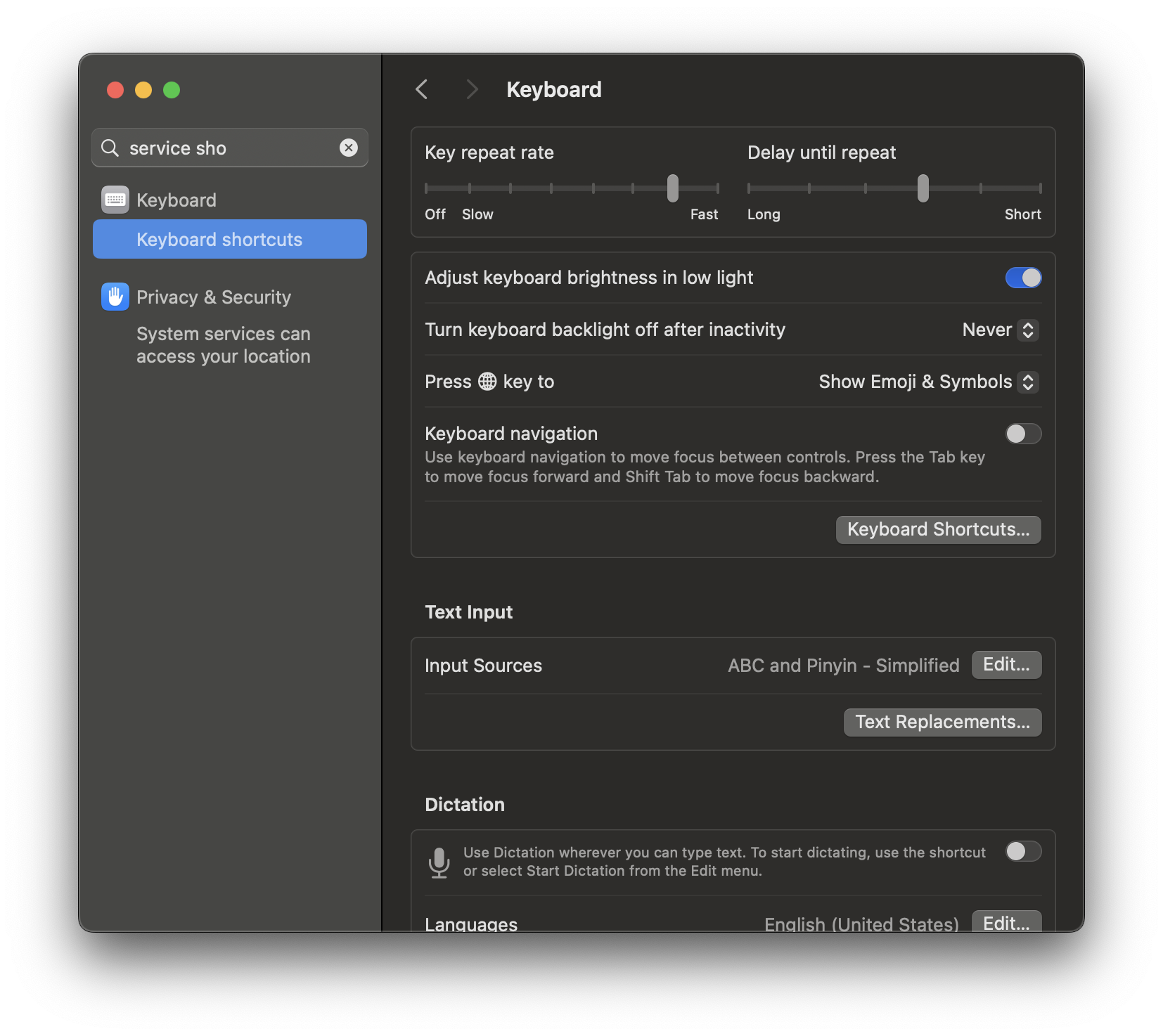
禁用按 fn 弹出 Emoji & Symbols 输入框
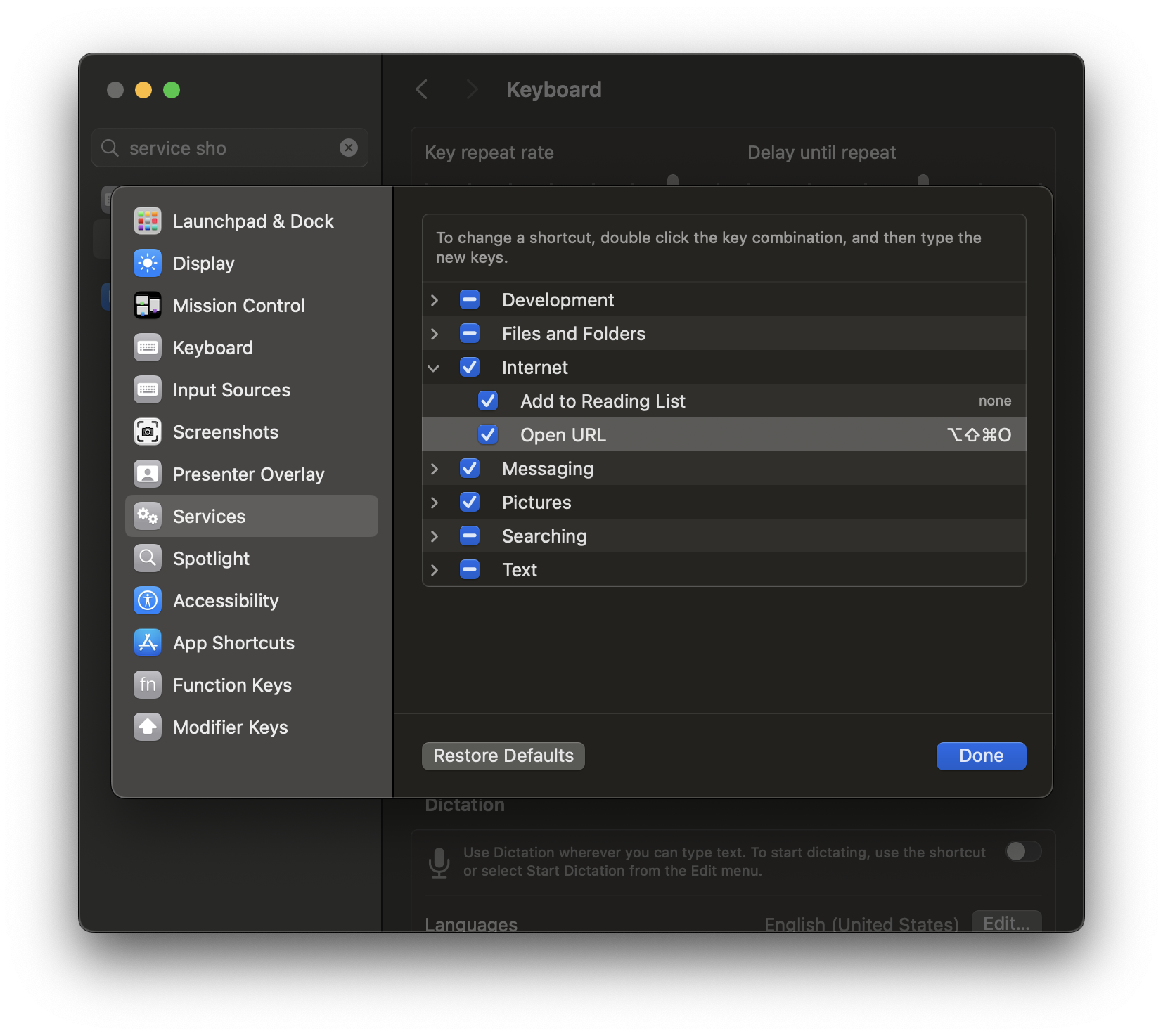
自定义打开网址 service 全局快捷键
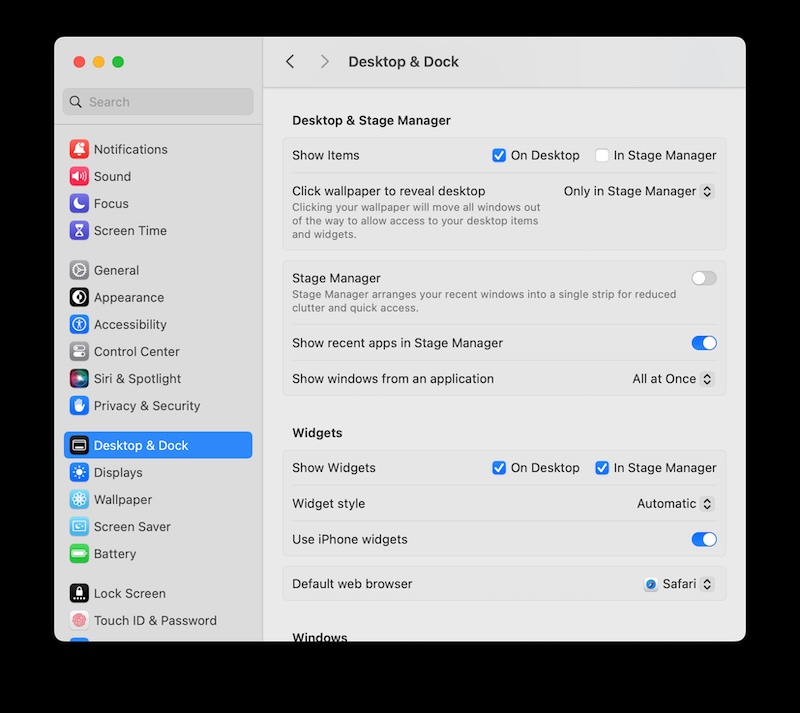
禁用鼠标点击空白自动显示桌面
System Settings - Desktop & Dock - Desktop & Stage manager
Click wallpaper to reveal desktop, change Always => Only in Stage Manager
Show full path in finder
press option + command + p, it will shows full path at the bottom in Finder
fix readline feature in zsh shell
append following into your ~/.zshrc
ini
# fix readline feature in zsh
# such as move the cursor before h char 'hello/world' to '/' by press option + f

# Remove the slash and other symbols from the word character definition
#WORDCHARS='*?_-.[]~=&;!#$%^(){}<>'
WORDCHARS='*'

# Enable Option + Arrow keys for word movement
bindkey -e
bindkey '^[[1;3C' forward-word
bindkey '^[[1;3D' backward-word
# Enable Option + Delete to delete a whole word
bindkey '^[^?' backward-kill-word